Google Business Profile
Google review response software for agency teams
Connect client Google Business Profile locations, sync reviews into one inbox, draft AI replies, and publish after human approval — without jumping between Google accounts for every client.
Who this is for
Agencies managing client GBP locations
Standardize Google review response across client portfolios with shared inbox, draft, and approval workflows.
Operators with Google reviews
Monitor and respond to your own Google Business Profile reviews with AI drafts and human control.
Google review response workflow
Step 1
Connect Google Business Profile
An authorized business user signs in with Google OAuth and grants access through Google’s consent screen. TrustForge does not accept manual place IDs or listing URLs.
Step 2
Select locations
After authorization, TrustForge fetches accounts and locations the user manages in Google Business Profile.
Step 3
Sync and monitor reviews
Reviews sync into TrustForge so agencies can monitor feedback and reputation health across client locations.
Step 4
Draft with AI, then approve
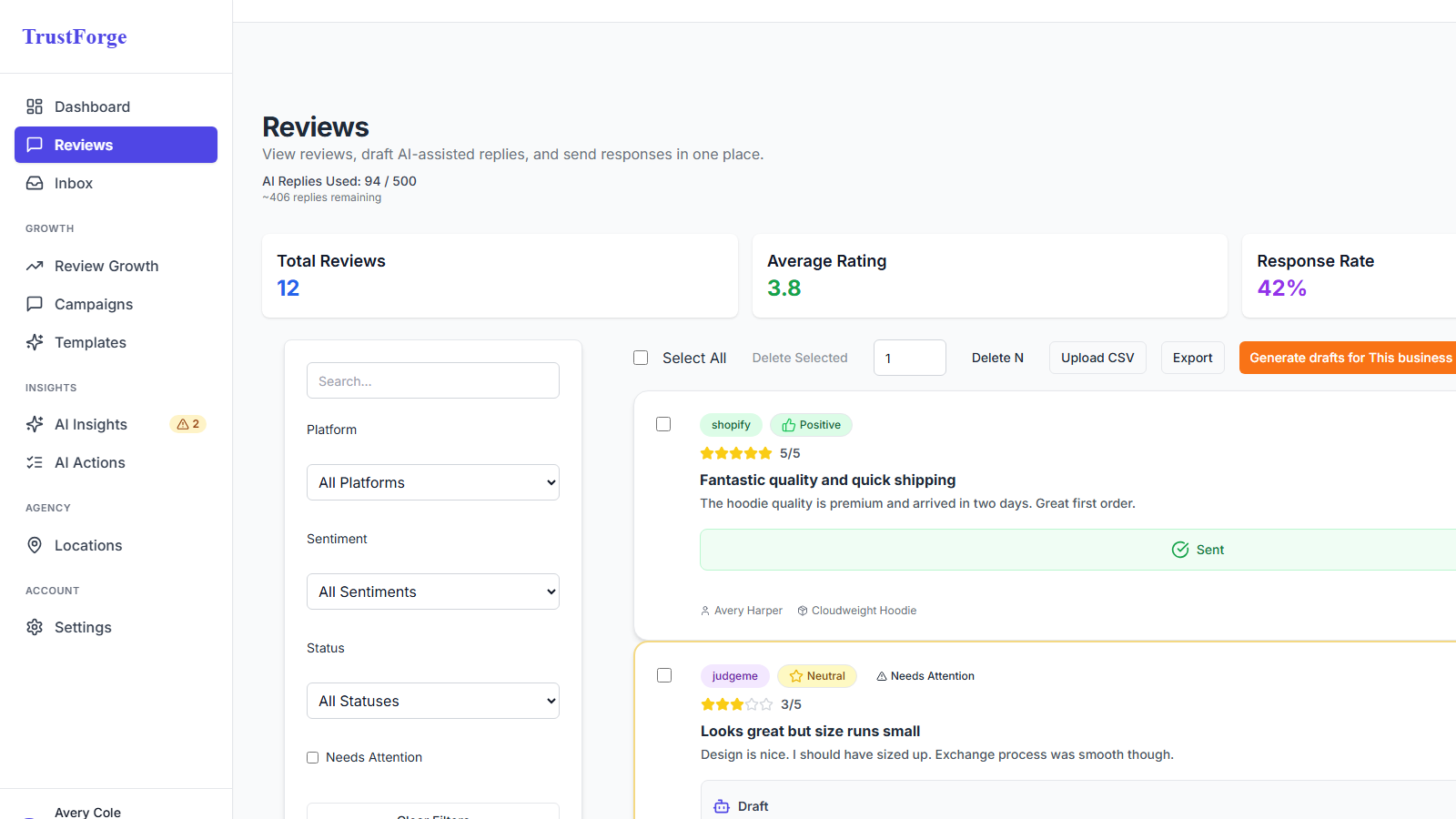
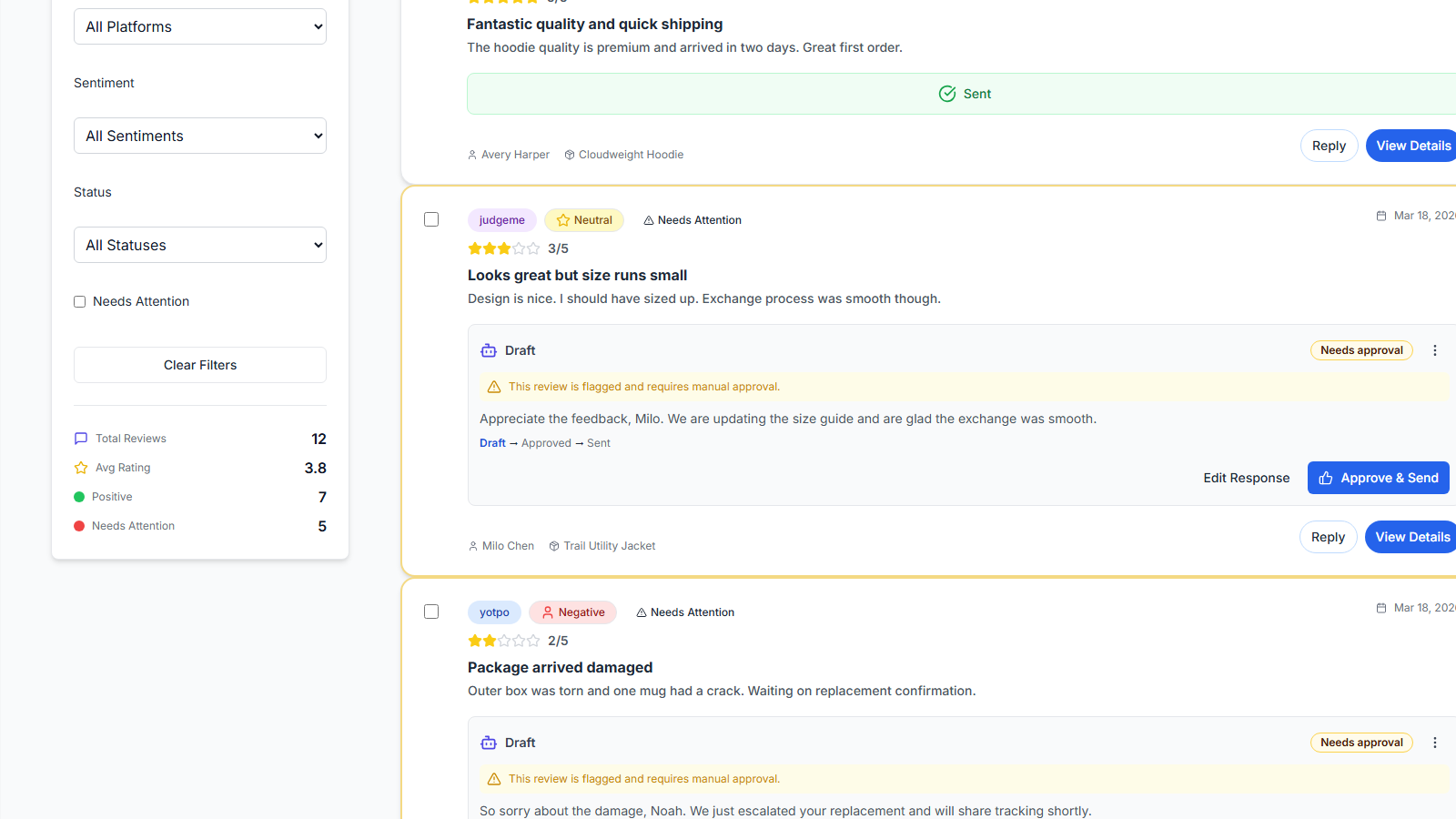
Generate an AI draft, edit for brand voice and policy, and keep human review before any reply is published.
Step 5
Publish approved replies
When the Google connection and scopes allow it, publish approved responses from TrustForge to Google Business Profile.
Draft-first controls
AI drafts replies so operators move faster. Publishing still requires human review and approval. TrustForge does not auto-send Google replies without that path.
When a review may violate policy rather than simply express dissatisfaction, you can assess its removal eligibility.
See the Google response workflow
Connection realities
Google access depends on OAuth consent and the locations a user manages in Google Business Profile. TrustForge does not invent SLAs for Google’s APIs and does not guarantee AI rankings or recommendations from responding to reviews.
Frequently asked questions
- Can TrustForge publish replies to Google reviews?
- Yes. For connected Google Business Profile locations, teams can draft with AI, edit, approve, and publish replies from TrustForge when OAuth access and scopes allow it.
- Does TrustForge auto-send Google replies without approval?
- No. TrustForge is draft-first. Operators review and approve responses before publish.
- Who can connect a Google Business Profile location?
- An authorized Google Business Profile user must complete OAuth. Users only see and can select locations they manage in Google.
- Is this only for agencies?
- Agencies managing client locations are the primary audience. Operators managing their own Google listings can use the same workflow.
- Where can I find setup steps?
- See the Google Business Profile documentation for the full connect, select, sync, and respond flow.
Run client review operations from a single command center
One inbox. One workflow. Across all clients.
Works with existing review tools. No migration required.