Shopify
Shopify review management for agencies
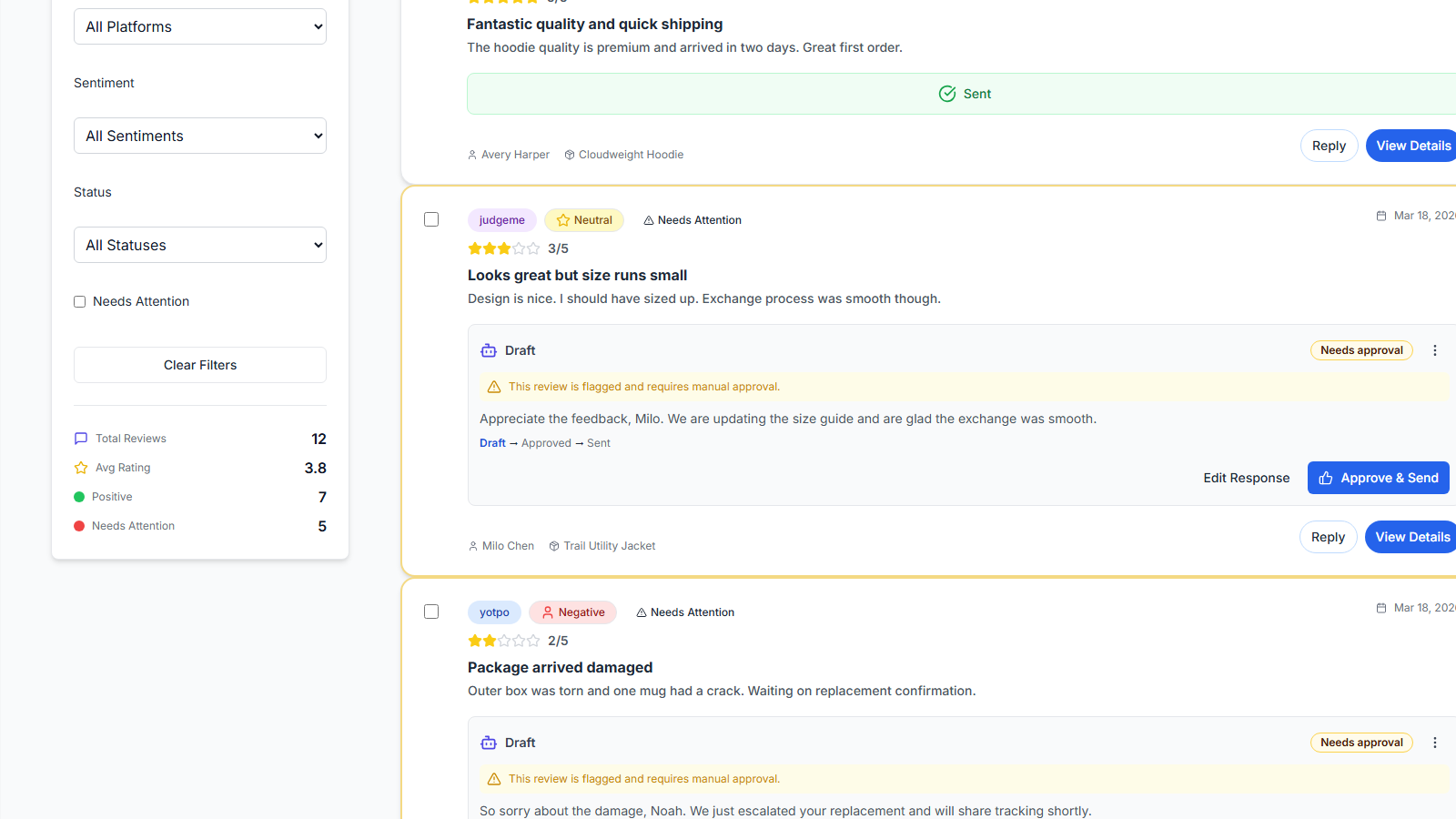
Manage Shopify client reviews in one agency inbox: import sources, prioritize risk, draft AI replies, and keep human approval — with honest publish limits where Shopify does not support direct send from TrustForge.
How Shopify fits
TrustForge connects to Shopify and common review sources merchants already use — including Judge.me, Yotpo, and CSV imports — so agencies can run reputation operations without a forced migration.
Shopify review workflow
Step 1
Connect the Shopify store
Link the client’s Shopify store so agency operators can run review work alongside other connected sources.
Step 2
Import reviews
Bring reviews in from Shopify-related sources your clients already use — including Judge.me, Yotpo, and CSV exports where applicable.
Step 3
Prioritize risk
Triage negative and high-priority reviews across Shopify clients from one agency inbox.
Step 4
AI draft with human review
Generate policy-controlled drafts, edit for brand voice, and approve before anything goes public.
Step 5
Publish or copy-to-publish
Where the platform supports it (for example Judge.me), publish from TrustForge. Where Shopify limits direct publishing, use copy-to-publish.
Shopify publish limits (important)
Publish in TrustForge on Google Business Profile and Judge.me. Yotpo supports direct publishing when the connected account's capability permits it; otherwise use copy-to-publish. Shopify and other sources support import, AI drafts, and copy-to-publish where direct publishing is limited by the platform.
Do not expect auto-publish into Shopify Admin from TrustForge. Where direct publishing is limited, operators copy approved replies into the destination platform.
Same note on pricing →Related integrations
- Google Business Profile — publish approved replies from TrustForge where OAuth and scopes allow it.
- Judge.me — publish approved replies from TrustForge when the review has a valid numeric Judge.me ID and credentials permit publishing.
- Agency command center — multi-client Shopify portfolios in one operating layer.
Built for Shopify agencies
Run review operations across a Shopify client portfolio from one inbox. Standardize drafts and approvals, keep clients on their existing review apps, and report the work without rebuilding spreadsheets every month.
Frequently asked questions
- Can TrustForge auto-publish replies into Shopify Admin?
- No. TrustForge does not claim a full native Shopify Admin reply API publish path. Where Shopify limits direct publishing, teams use import, AI drafts, and copy-to-publish workflows.
- Which platforms can publish from TrustForge?
- Publish in TrustForge on Google Business Profile and Judge.me. Yotpo supports direct publishing when the connected account's capability permits it; otherwise use copy-to-publish. Shopify and other sources support import, AI drafts, and copy-to-publish where direct publishing is limited by the platform.
- How do Shopify agencies use TrustForge?
- Agencies connect client stores and review sources, triage reviews in one inbox, draft AI replies for approval, and report the work — without forcing clients to migrate off their existing review apps.
- Does TrustForge replace Judge.me or Yotpo?
- No. TrustForge works with existing client tools. Judge.me can support publish-from-TrustForge where enabled; Yotpo and Shopify often use import and copy-to-publish depending on platform limits.
- Does TrustForge guarantee more Shopify sales from reviews?
- No. TrustForge improves reputation operations and trust signals. It does not guarantee rankings, AI recommendations, or revenue lift.
Run client review operations from a single command center
One inbox. One workflow. Across all clients.
Works with existing review tools. No migration required.